Truebe for WordPress.
AI hallucination cases have topped 1,981 worldwide. Truebe makes that structurally impossible: your AI only says what you approved. All data stored in your environment.
Built for firms that don't have a compliance department to build this themselves — just the person who got handed AI oversight on top of everything else they already do.
Four steps, no code, no IT department.
Everything happens inside the WordPress admin you already know. No dedicated staff, no separate vendor to onboard, no security review to schedule.
Everything an examiner might ask for, right where you'd expect it.
Every answer, its source, who approved it, and how it's performing.
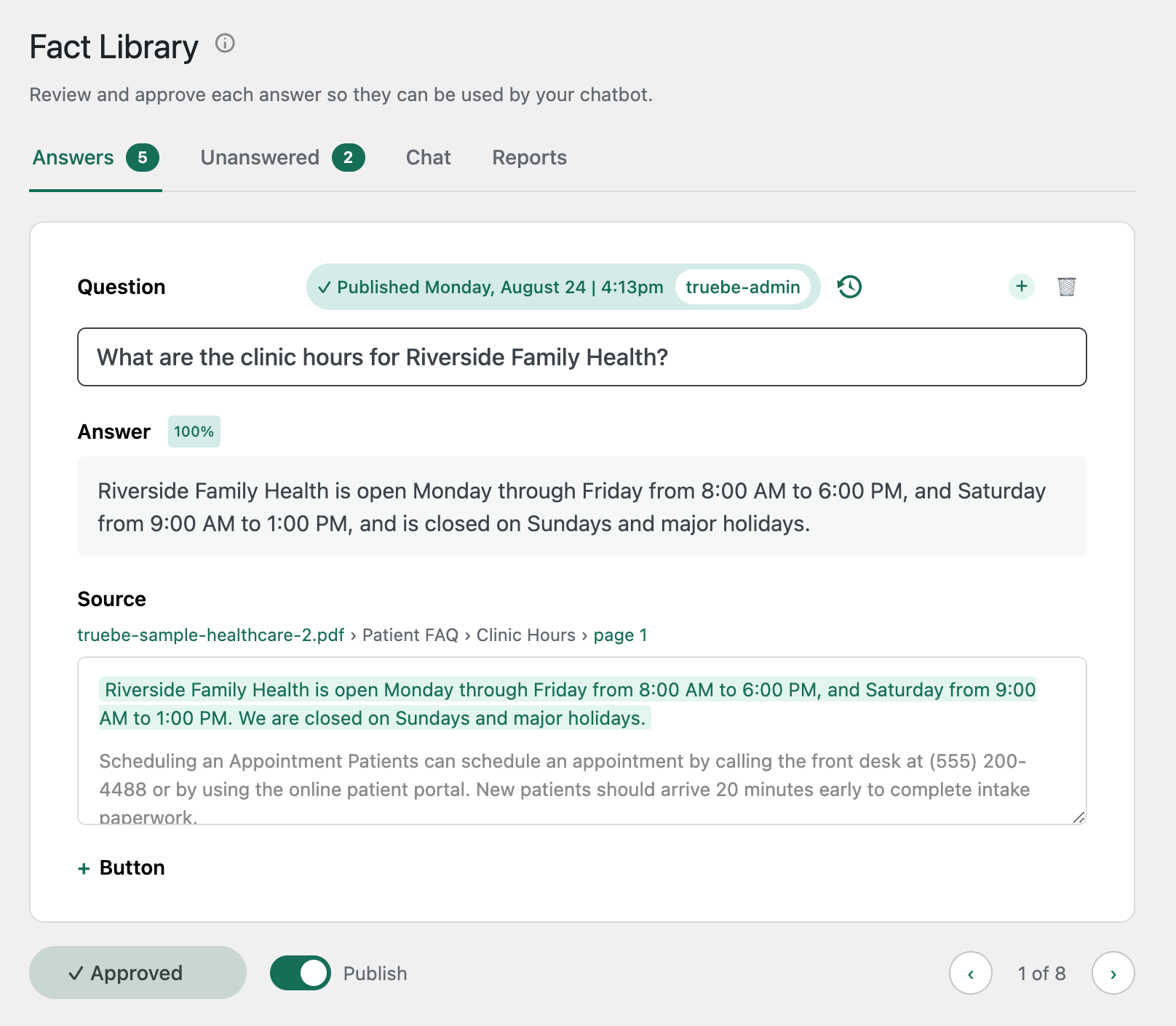
Every answer traces back to the exact document and page it came from. Nothing goes live until you personally approve it, and every approval is logged with your name and the time — the record your compliance file needs, without a separate system to maintain.
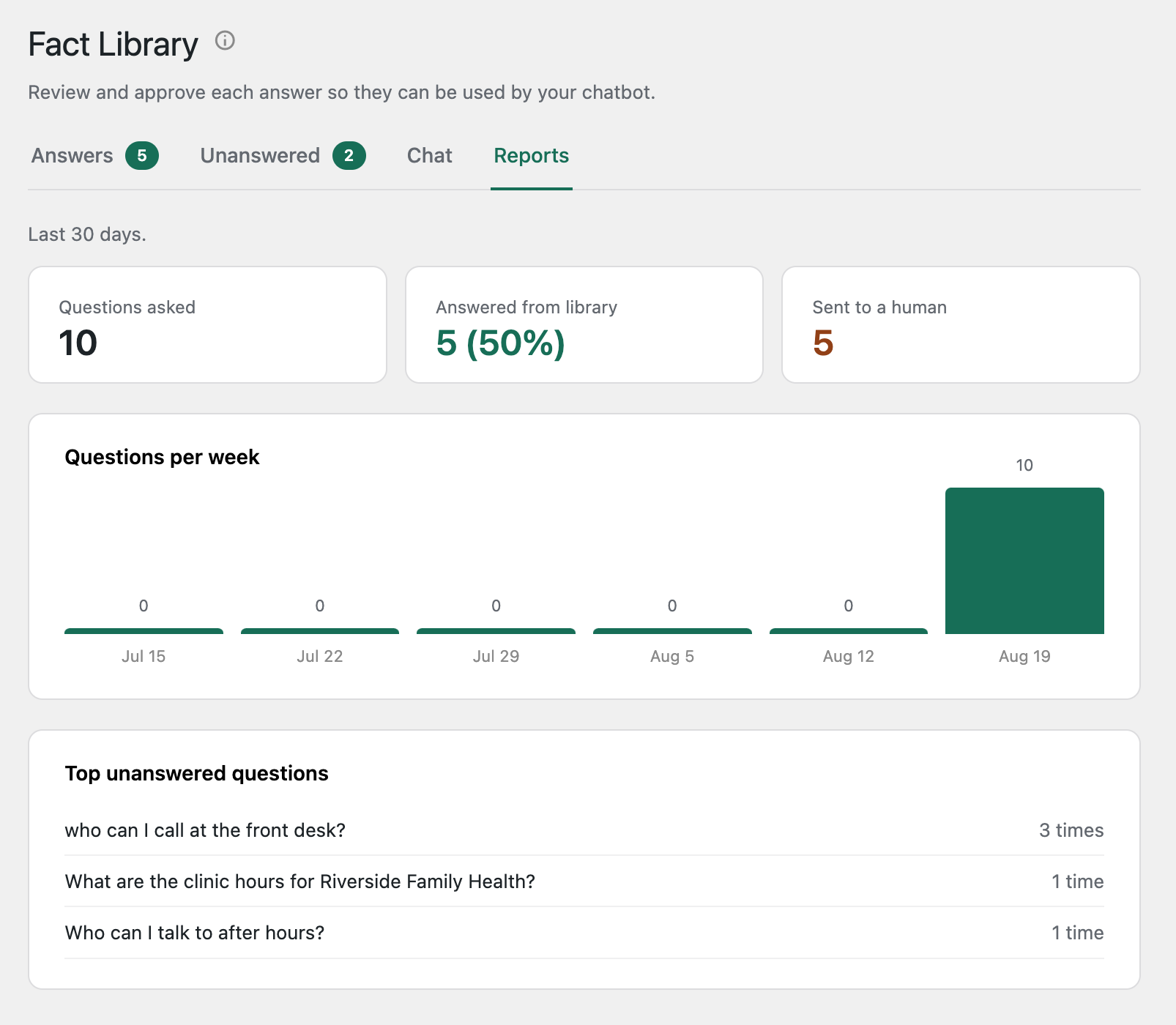
See exactly how many questions your AI answered versus sent to a human, and which questions keep coming up that you haven't covered yet — so you know what to add next, without reviewing every conversation by hand.
$50/month. One plan.
Cancel anytime. No implementation fee, no security review, no headcount required.